After college last week (on 5th February) I was really unsure how to integrate my words into my hand in movie. A lazy way was to just have the words at the start as a title. I wanted to do more than that. I also thought about doing an overlaid animation of a plane flying across the sky with a banner towing “The day passed much as the day before had done.” but I thought this was a bit cheesy and was going to be an awful lot of work. I did however discover the technique of overlaying a series of transparent PNG files onto my movie.
My inspiration came on Saturday night, on the way back from a gig in Birmingham (my wife was driving), at about midnight and after a few pints of Guinness I decided what I was going to do for my final hand in!
I decided to combine two days of time lapse with my phrase in-between. i.e. “The day passed…” day shoot “..much as..” day shoot “..the day before had done.” I thought that the two sets of images in the same location would highlight the day’s being similar, or “much as the day before”. The idea of going 12 hours from dark to dark was to give the impression of the day passing.
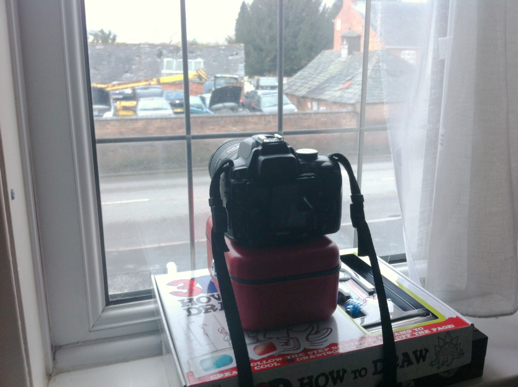
Rather than choose the viewpoint from work, which was a little more interesting I went for the view from the front of my house. Firstly I liked the fact that the sun passed from left to right in the shot (although it’s covered with clouds) and secondly, it was more convenient. I was running out of time for the hand in and rather than spend the time taking my camera into work late at night, it was easier to set it up at some.
I’d already got a days worth of shots, so needed another. I had a bit of a disaster when I set my camera up at about 1am after getting in from the aforementioned gig. I accidentally set my camera to interior lighting white balance, rather than daylight. The icons are very similar. So, as you can see, I got a horrible blue cast. To keep file size down on my memory card i’ve been shooting in low res JPEG rather than RAW, so couldn’t correct it, horrible:
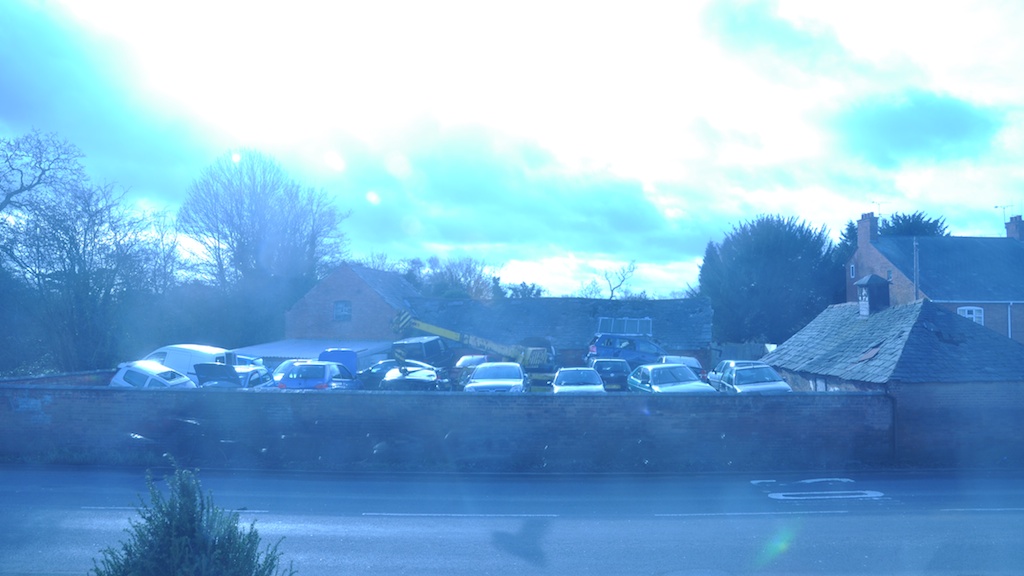
So, I put a new fully charged battery in and set the the camera up again to shoot all day Tuesday.
These images were all fine. I wanted my final video to be 16:9 (widescreen). So, I used Aperture on my mac to crop one of the images to that ratio, then made use of the “lift adjustments” and “stamp adjustments” feature so that it automatically cropped all of the images (144 per day) to the same size.
I then used Aperture to export the images to 1280×720 for HD 720p resolution. This being the highest resolution that iMovie would let me export.
These images were then dragged into iMovie. I put 0.2 seconds between the shots. Then added some black stills with different timings to overlay the animated words (built into iMovie). I chose a style of word transition where the words were on two stacked lines, they fly into the centre of the screen from opposite sides pause together and then carry on to the opposite side of the screen. Again, ‘passing’.
A final choice was some music. I felt something upbeat would add to the whole experience and the beats might coincide with the almost jerky nature of the video. I opened up iTunes and searched my library for the word “Day” I dismissed the dance tracks because the words didn’t mean a lot. Some slow songs came up, but as I mentioned early I wanted upbeat. Then I found a punk version of “Happy Days” (from the 70-80’sTV program) which seemed to fit the bill. It’s upbeat and mentions all the days of the week as if they just keep passing by and it happened to be just the right length to suit my video!
Here is my final video:
Conclusion
I really enjoyed doing something a bit different. When I got my camera a few years ago i’d seen in the manual that I could do time lapse but had never got round to doing anything with it. I wasn’t feeling particularly inspired by the text in Pride and Prejudice and was struggling with the concept of several images, we’ve generally been asked to visually describe a word or phase within one photograph. So by using the search function on my ebook reader looking for “day” and “time” I turned it around to do something that I wanted to do. I would be interested to see how far I could take this, although i’m not sure how i’d exhibit it? I’d possibly have to get a TV into the gallery or QR code links to youtube video’s of my work? Although this would mean people looking at my work on small tablet and phone screens.
By way of improvements i’d like to photograph shorter events with more frames, so the video’s look smoother. I’d possibly also need to look at different video editing software as the shortest frame rate I can do with iMovie is 10fps and from what i’ve read, 24fps is what I should aim for. The music was also a bit of a last minute choice, i’m fairly pleased with it, but probably should have thought about it sooner.
 Starmead Photography