Archive

Tag Archives: Exhibition

Shattered, but enjoyed the opening night and a well deserved beer afterwards!  Which also marks the end of a course.  It’s been a lot harder work than I think any of us envisaged.  But despite the long evenings, weekend shoots and stress to hit deadlines I’ve enjoyed it.  I’ve made some good friends, tried many different types of photography, learned a lot of different techniques and feel that I am a much better photographer for it.


Here is my final exhibition video:


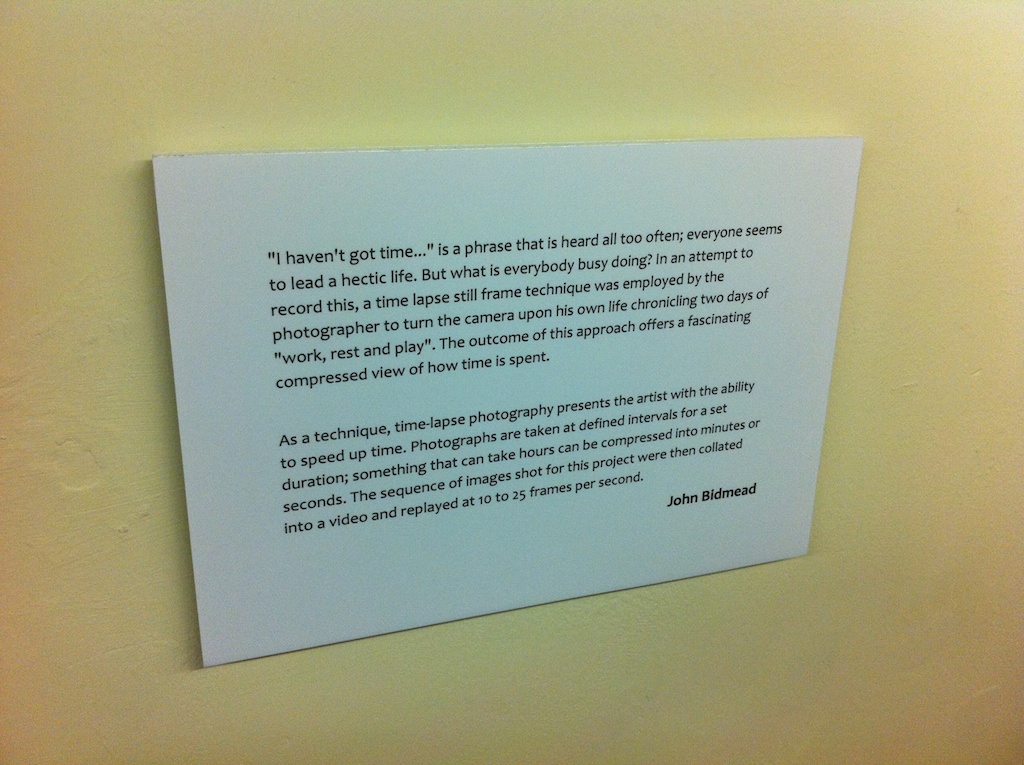
HNC Exhibition on wall HNC Exhibition on wall text


Final video is put together. Bracket is ready. Business cards are on the way. Just need to go to the LPPG on Monday 16th to get it on the wall. Really pleased and relieved it’s all done. Looking forward to people’s reactions on opening night, 18th June. I’m sure I’ll enjoy discussing the project with anyone that will listen as well!

It’s a cliche but it’s been a long journey with lots if ups and downs. Plenty of stress, hitting deadlines, leaving my camera shooting for 8 hours & hoping it’s going to come out and working out narrative to bring my sequences together. Plenty of lost evenings and weekends, keeping this blog up to date as well as researching and writing a 2000 word essay with the same deadline. Plus on top of that a group exhibition to organise, with no real leadership. Only promoting and direction from lecturers. The group is all pretty equal, so there was no outstanding ‘manager’ to delegate jobs.

Being a bit of a geek I got into photography more for the kit as well as the quality of the images. Although I have definitely improved as a photographer over the two year course I feel I am still weak on the creative side. I’ve struggled with the open ended ‘self negotiated’ projects. I chose time-lapse because I had been fascinated by the results from my Pride and Prejudice project. I did contact sporting venues about access for crowds coming into and out of grounds, without luck. I would have liked to look at bigger grander sequences, but with a full time job, time and security of my equipment were always issues. So my project ended up being about me and what I did in my time. I am very pleased with what I have produced, but after 2 years studying as a photographer I feel I’d maybe be better with prints on the wall than a video.

So, what next? A rest from photography and so much studying. Get back to taking photo’s because I enjoy it, not because I need to. I will still update my blog, but not in so much detail and without deadlines. If I get a spare hour or so. I’ll put some posts on, if not it’s not the end of the world. I’m not going to push Starmead photography for the near future. If something comes up I’ll definitely consider it. But I’m just happy with a break for the moment. However, in the future I would like to do some weekend or evening work to pay for kit and my HNC investment.

My wife and I are expecting our first child in September. No doubt the camera will be out. If my wife meets other Mums at groups there may also be opportunity for some work photographing other babies!

After my initial edit I have changed all of the transitions to be ‘cross blur’ this gives a few seconds between clips where the viewer isn’t quite sure what’s coming next. I’ve cut some ‘static’ sections out of some of the longer clips i.e. When I go for my lunch break at work. It’s all cut down nicely to about 6 minutes.  My wife likes the finished product and made one little change, which has just helped with the flow of day 2.
I’ve made a bit of a late decision to add music. I was going to leave it silent. But had a bit of time, so had a tinker. I did initially think of different music for each clip, but didn’t have the knowledge or skill to get a good musical transition. I’ve come across a dance track with a beat that suits the clips well called SHAKE ME UP!!! by La Suite Bizzare. There are even a couple of ‘breakdowns’ which come at just about the right time with the video with very little editing. If I’m totally honest there is a little bit of an issue with copyright to get full rights to the track was €39, about £30, which I just can’t afford. So I’m going to add music for the exhibition, but not when I upload to YouTube.

The majority of the group has been looking at getting prints done for the exhibition.  I will displaying a video, so need some sort of TV or projector.  I discussed this with my lecturers last Wednesday.  Here are the options that we discussed:

Projector:

The college could lend me a projector, but I felt this would be awkward.  If I forward projected I would need to have the projector on a stand or suspended from the ceiling.  Suspending from the ceiling definitely wasn’t an option and I just felt that a stand would get in the way of people at the exhibition.  Along with the health and safety problems of cables running on the floor.  I could possibly back project onto something, but this would need a substantial ‘booth’ putting together to keep all of the equipment safe.

Hire a TV:

I could hire a TV with a USB socket for two weeks, but this would be expensive, plus insurance may be an option with it being in a public gallery.

Borrow an iMac from college:

I liked this option, it would give me great control over the video playback and operating times.  i.e. getting the iMac to shut down and startup at specific times.  I would need to make it safe though.

I work for a company called Impact Air Systems where I am a draughtsman for sheet metal fabrication.   I used my lunch break to design a bracket, which I could then get fabricated by our sister company Impact Ducting Sales.

I needed something that I could screw to the wall of the gallery, would be substantial enough to carry a 21.5″ iMac, had a hole to loop the security cable through, didn’t have any sharp edges and be able to carry business cards.

I went for a two part design, the back section could be marked, drilled and fixed on it’s own.  The iMac then sat in.  The front cover could then be bolted on.  As well as the security cable, this would secure the iMac onto the bracket and provide a pocked for business cards.

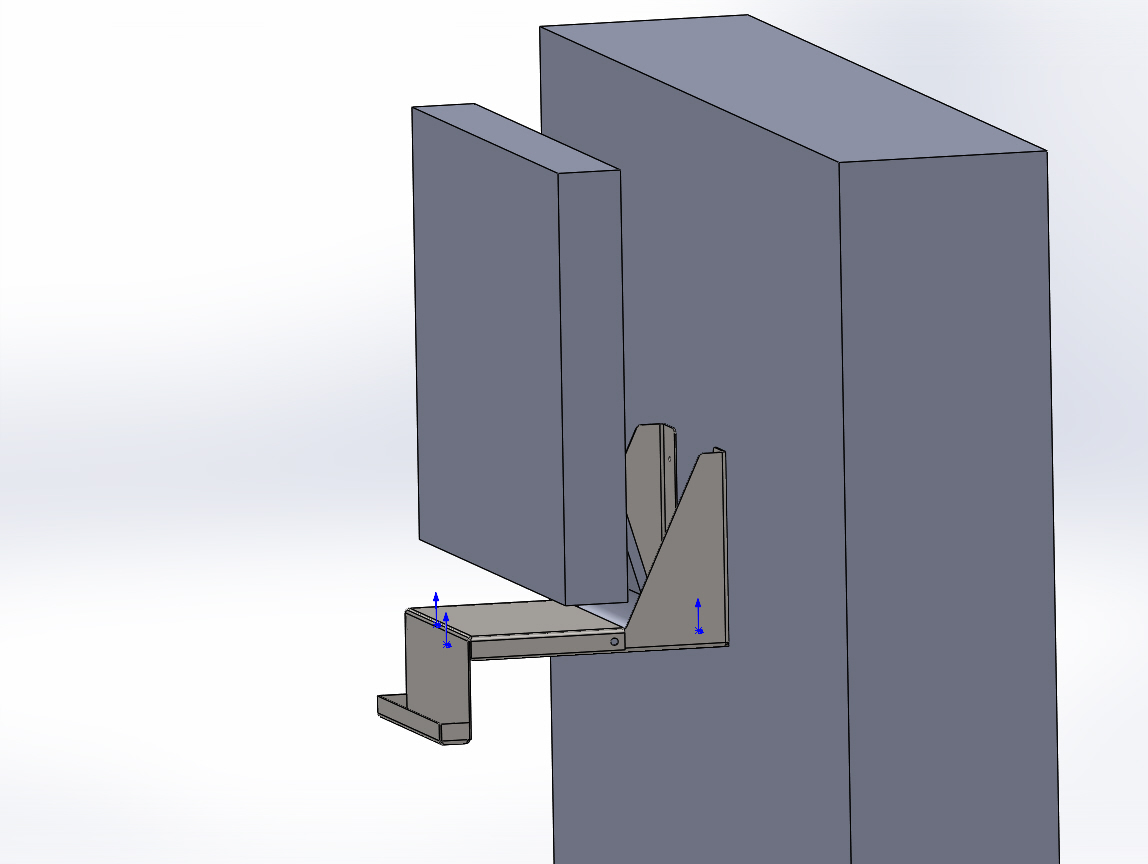
I used the 3D CAD software, Solidworks,  that I use every day for my job to model an iMac, a wall and my 2 piece bracket.  Here is a screen shot:
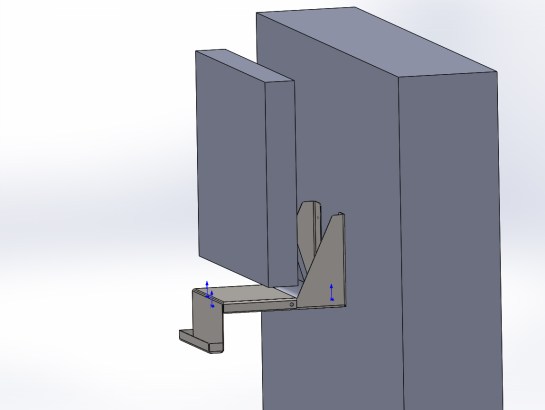
iMac bracket on wall screen shot


Here are the fabrication drawings that I did (PDF): IMAC BRACKET top IMAC BRACKET

Here is a photo of the bracket, with iMac, sat on a table, all fits nicely, the galvanised steel finish goes well with the iMac colour scheme:
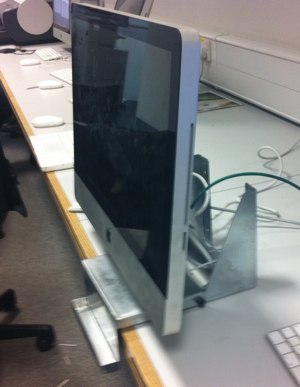
iMac on desk

I discussed my final video composition at the start of the session today with my lecturers.  They like the work, rest and play concept.  I am going to pull together two days of time-lapse, a Friday into a Saturday.  i.e. the Friday will be going to work, working, coming home, watching some TV then bed, then I will pull together clips for ‘play’ for a Saturday.  There will also be some sleep/rest involved.

I’d brought my macbook into college, so had all of my work together and started using iMovie to pull a rough first cut together.  I started using some different transition sequences, such as the first clip splitting and opening like double doors with the second clip ‘coming though the door’ and fades to black.  But when I showed these to the lectures at the end of the session, we all agreed it was a bit cheesy.  Some sort of cross-fade or blur might look better.  Today was a really good productive session.  I feel like i’m pretty close to a finished product.

In relation to the course, my essay is nearly written.  I still need to decide how to display my video as well as design some business cards for self promotion.  But I feel like i’m on top of it now.

So I tested the ‘gogglebox’ time-lapse tonight.  My wife and I sat down and watched 24 hours in A & E.  I went for a low down angle, being close not to get massive knees, with the camera pretty close to the TV.

I had a nearly full camera battery and tried one shot every 10 seconds.  The battery lasted from 21:06:25 till 22:03:35, giving me 342 frames.

Playing these back at 25fps I get nearly 14 seconds of video, but it’s terrible, really flickery.


At 15fps I get about 23 seconds


At 10fps I get 34 seconds


At 6fps I get nearly a minute of jerky video.

I’m pretty happy with it, I think I got the angle right to get the ‘gogglebox’ feel.  About 15fps seems to be the best.

I had another go at a time-lapse sleep of myself last night.  My first attempt wasn’t great,  This time I tried sleeping with a small head torch on.  The list is a bit strange, but the effect works well.  With the usual battery constraints I had to shoot at 2 minute intervals.  I shot from 23:14 till 6:42am.  225 shots.  As this is such a long time in the day I wanted to play it back as slowly as I dare.  I’ve done this at 6fps and it works really well and gives me about 38 seconds of footage.  Because i’m probably going to have sleeping at either end of the video, i’m going to try shooting this over two nights, do a nighttime 4 hours and a morning 4 hours.  So I can get more shots and give me more time in the final video.

Here is what I shot:

At college today I discussed again my idea’s for the “Work, rest and play” narrative.  From last weeks post i’d decided to try a sleep, a day at work and the drives to and from.  Which I posted here.  The lecturer and my fellow classmates liked what I shot.  Although the sleep section wasn’t great.  The day at work was pretty fascinating.

We decided that for rest and play I should do a sort of time-lapse gogglebox.  A TV program where you see the reactions of people watching TV that’s been on that week.  I could also shoot myself playing x-box.

For work I should try shooting from behind my monitors to see my face, with the rest of the office in the background.  Just to give some interest when i’m away from my desk.

Speed is also something that was discussed.  25 Frames Per Second (fps) is ideal for playback as this matches television.  However this means taking and processing a lot of images.  The majority of video’s i’ve been setting to 15fps playback.  There is also the issue of battery life.  To shoot something for 6 hours without swapping the battery I have to set for 1 shot per minute, so that the battery lasts.  This does mean that I miss some detail and the video’s can look a bit jerky.  Where as something like a drive to work can be shot at 1 shot every 2 seconds, so it looks smooth.

With a day at work there is a natural break after 4 hours for lunch, so I can swap the battery and not miss anything, but this still means i’m limited to a shot every minute.

My only option is to invest in a mains adapter for my camera, but i’m spending so much on college at the moment with the exhibition I don’t think this is an option.

As part of my Work, Rest and Play idea I’ve done a few time lapse’s of myself.

The first is myself sleeping.  I used the camera in shutter priority to try and get reasonable exposures in the dark and then as it got light in the morning.  This is my first attempt without a light and appears to have gone well until the street lamp outside went out.  I then got several hours of black (which i’ve cut out)  the morning was quite good, but the battery when flat at about 5:30, an hour before I was due to get up.  Pleased with it, needs re-shooting with some light in the room:

I then drove to work:

Captured myself at work for 8 hours (which i’m really pleased with)


I then drove home:

Pleased with all of it.  Maybe need to fill in some gaps.  I like the idea of a time lapsed day, but am struggling to find some ‘play’ at the moment.  A time lapsed style goggle box might be good, me watching TV and eating dinner in the evening.  Will try and re-shoot the driving ones with the camera further back in the car, so the viewer can see me driving as well as the traffic, feel this will fit better with the other video’s of my day.